Your Data and AI: What You Need to Know
By LumaVista Team


You just asked ChatGPT to help you draft an email to your insurance company. To get a useful response, you pasted in your claim number, your home address, and a description of the water damage in your kitchen. The AI gave you a perfectly worded email. But here’s the part nobody warned you about: that information you shared? It might now be sitting on a server somewhere, potentially used to train future versions of the model.
You’re not alone. Nearly three out of four people who use AI tools end up regretting how much personal data they handed over once they realize what actually happened to it. And most of us don’t even know we’re using AI in the first place — more than half of Americans interact with AI daily without recognizing it as AI.
This isn’t about scaring you away from these tools. AI can be genuinely useful — though as we’ll explore in When AI Gets It Wrong, it also makes mistakes more often than you’d expect. But there’s a gap between how casually we share information with AI and how carefully we should be treating it. Let’s close that gap.
What AI actually is (in 30 seconds)
Think of AI as a very powerful pattern-matching engine. When you type a question into ChatGPT, Gemini, or Copilot, the system isn’t “thinking” about your question the way a person would. It’s scanning billions of text patterns it absorbed during training and predicting, word by word, what a good response looks like.
This distinction matters because it changes how you should think about your data. A human assistant reads your insurance claim, helps you, and (hopefully) forgets the details. An AI system might store your input, learn from it, and carry traces of it forward into conversations with millions of other people.
You’re already using AI more than you think
AI isn’t just chatbots. It’s woven into tools you use every day without a second thought:
- Face ID on your phone uses AI to map your face in 3D
- Spam filters in Gmail or Outlook use AI to decide what’s junk
- Navigation apps like Google Maps use AI to predict traffic and route you around it
- Netflix and Spotify recommendations are AI predicting what you’ll watch or listen to next
- Your bank uses AI to flag transactions that look suspicious
- Social media feeds use AI to decide which posts you see first
Every one of these systems is collecting data about you — your face, your location, your habits, your preferences — and using it to make decisions. Most of the time, that’s fine. But the key word is “most.”

The privacy risks nobody talks about
Here’s where it gets uncomfortable. Nearly half of all prompts sent to AI tools contain sensitive information — customer names, employee records, financial details. People paste in medical symptoms, salary numbers, private messages, and proprietary business documents without thinking twice.
That data doesn’t just disappear after the AI responds to you. It can be stored for training, accessed by the company’s employees, shared with third-party partners, or exposed in a security breach. AI-related security incidents jumped over 56% in a single year recently, with hundreds of documented cases.
How your data leaks out
There are four main ways your information escapes through AI:
You share it directly. This is the obvious one. You paste your medical records into a chatbot to ask about symptoms, or you upload a contract to get a summary. You meant well, but you just handed sensitive data to a third-party service.
The AI collects it indirectly. Even when you don’t type in personal details, AI systems gather data from your behavior — what you click, how long you hover, what you search for, and when. Your metadata tells a story about you even when your words don’t.
Third parties get access. AI companies have partners, vendors, and investors. Your data may be shared with entities you’ve never heard of, buried in paragraph 47 of a privacy policy you never read.
Data sticks around. You might delete a conversation, but the AI system may have already used your input for training. Once your data is baked into a model’s weights, there’s no clean way to extract it. Think of it like adding milk to coffee — you can’t un-pour it.
Real-world examples
This isn’t theoretical. Dutch healthcare workers accidentally fed patient medical records into AI chatbots, creating serious privacy breaches. Employees at major companies have shared proprietary code and internal strategy documents with AI tools, not realizing that data would be stored on external servers. The Cambridge Analytica scandal showed how a simple personality quiz could harvest psychological profiles of millions of people without their knowledge.
The one principle that protects you most
If you remember only one concept from this article, make it this: data minimization. It means sharing the absolute minimum information needed to get the job done.
Instead of pasting your full medical history to ask about a medication interaction, describe the situation in general terms — a technique we cover in more detail in How to Talk to AI: “What are the interactions between Drug A and Drug B for someone in their 40s?” You get the same answer without exposing your identity, your conditions, or your prescription list.
Data minimization works on four levels:
- Relevance — Is this information actually needed for what I’m asking?
- Adequacy — Am I giving enough to get a useful answer, but not more?
- Necessity — Could I rephrase this to avoid sharing the sensitive part?
- Retention — After I get my answer, can I delete this conversation?
Think of it like visiting a restaurant. You give the waiter your order, not your home address. You pay the bill, but you don’t hand over your entire wallet. You share what’s needed for the transaction and nothing more.

What rights do you actually have?
If you’re in the EU, the UK, California, or a growing number of other jurisdictions, privacy laws give you real power over your data. Under regulations like GDPR and CCPA, you generally have the right to:
- Know what data a company has collected about you
- Access a copy of your personal data
- Correct information that’s wrong
- Delete your data (with some limitations)
- Restrict how your data is processed
- Object to automated decisions that significantly affect you
These aren’t just theoretical rights. Companies like OpenAI, Google, and Microsoft have processes (sometimes buried in settings menus) for exercising them. The catch is that you have to actually ask. These protections don’t activate on their own.
For people outside these jurisdictions, the practical advice is the same even without legal backing: minimize what you share, read the privacy settings, and delete what you can.
What about consent?
You know those “I agree to the terms and conditions” boxes you click without reading? With AI, those checkboxes carry more weight than usual. When you consent to an AI service’s terms, you might be agreeing to let them use your data for purposes that don’t even exist yet. AI capabilities evolve fast, and your data from today could be used for something entirely different tomorrow.
This is why privacy experts talk about “dynamic consent” — the idea that your agreement should be ongoing, not a one-time checkbox. In practice, that means revisiting your privacy settings periodically rather than setting and forgetting.
What to do now
Here are seven concrete steps you can take today, ranked from quickest to most thorough:
-
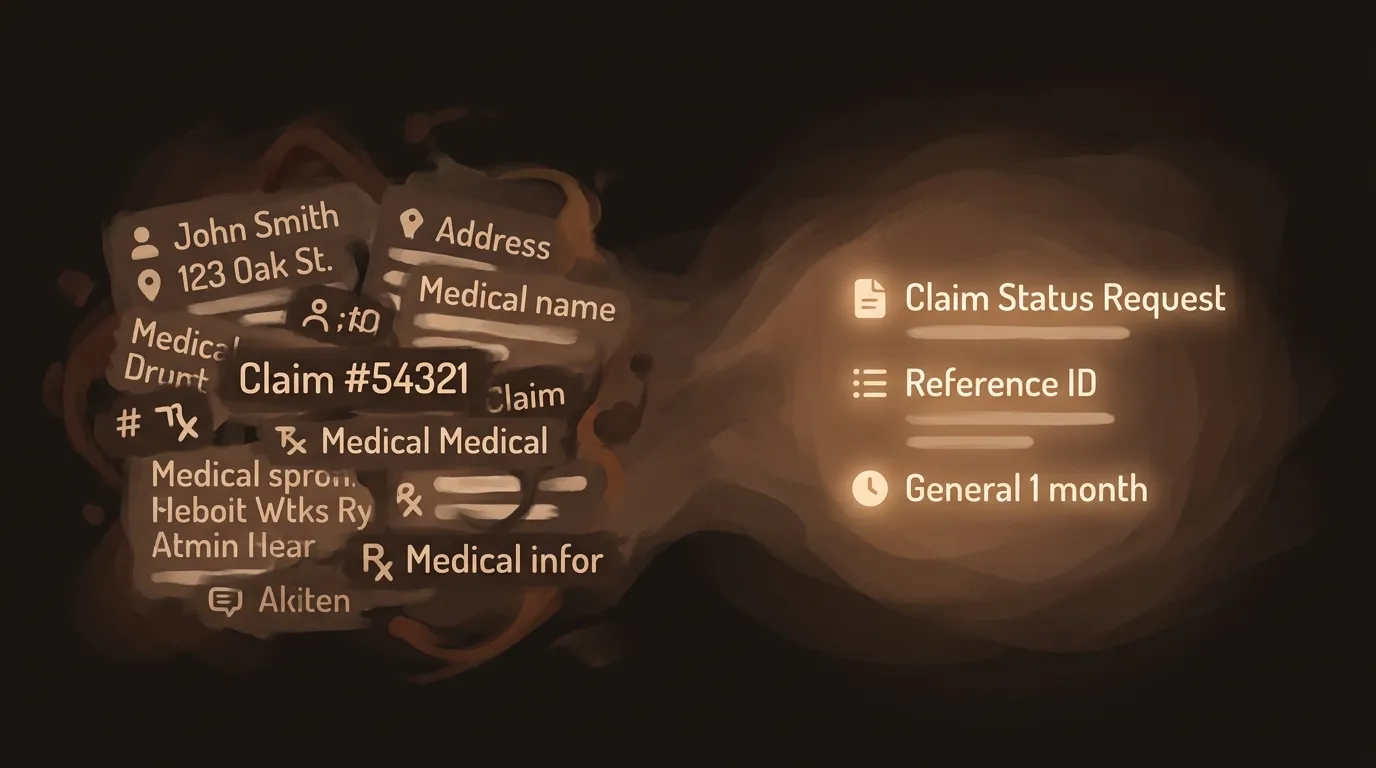
Scrub before you share. Before pasting anything into an AI tool, remove names, account numbers, addresses, and any other identifying details. Get in the habit of asking: “Would I be comfortable if this text were posted publicly?”
-
Turn off training data sharing. Most major AI platforms (ChatGPT, Gemini, Claude) have a setting that prevents your conversations from being used to train future models. Find it and flip it. This usually takes about 60 seconds.
-
Delete your conversation history regularly. Set a monthly reminder to clear out old AI chats. The less data sitting on someone else’s server, the less exposure you have if something goes wrong.
-
Read the privacy policy — but strategically. You don’t need to read every word. Search for “retention,” “third party,” and “training” to find the sections that matter most. Five minutes of targeted reading beats five hours of worry.
-
Use privacy-focused settings. Many AI services offer options to limit data collection, shorten retention periods, or opt out of data sharing with partners. Spend five minutes in the settings when you first sign up.
-
Prefer enterprise or privacy-focused versions. If your employer offers a business version of an AI tool, use it. These typically have stricter data handling policies and don’t use your inputs for training. (For more on workplace AI policies, see AI at Work.)
-
Consider local AI for sensitive work. Tools that run on your own device (like local language models) keep your data entirely under your control. They’re less powerful than cloud-based options, but for confidential tasks, the tradeoff is worth it.
You don’t need to do all seven today. Pick the first two, do them right now, and build from there. AI safety isn’t a single decision — it’s a set of habits that compound over time. The goal isn’t to avoid AI. It’s to use it with your eyes open.