AI-Assisted Coding: Protecting Your Code and Your Clients
By LumaVista Team


You’re deep in a debugging session. The stack trace is unhelpful, the deadline is tomorrow, and that Copilot suggestion in the gutter looks like it might actually work. You tab-complete, push to your feature branch, and move on to the next ticket. You just shipped code you didn’t fully read into a codebase your clients trust with their data.
This isn’t a hypothetical. Over 76% of professional developers are now using AI coding tools in their daily workflow. GitHub reports that 46% of code on the platform is AI-generated. The productivity gains are real — teams consistently report 40-50% faster task completion. But so are the costs nobody budgeted for: nearly half of AI-generated code snippets contain exploitable vulnerabilities, and organizations dealing with AI-related security incidents are averaging €4.5 million per breach — a figure we also cite in AI at Work.
46% of code on GitHub is now AI-generated, yet nearly half of AI-generated snippets contain exploitable vulnerabilities. Speed and security are pulling in opposite directions.
If you write code for a living, this article is for you. We’re going to cover the specific ways AI coding tools can compromise your codebase, your clients’ data, and your organization’s intellectual property — and what to do about it without giving up the productivity benefits that make these tools worth using in the first place.
Your code is leaving the building
Let’s start with the thing most developers don’t think about enough: when you use a cloud-based AI coding assistant, your code leaves your machine.
Every time Copilot, Codeium, or any cloud-hosted model suggests a completion, it’s because your editor sent a chunk of surrounding context to an external server. That context might include your proprietary business logic, API keys that slipped into a config file, internal variable names that reveal your architecture, or client data embedded in test fixtures. The AI needs that context to give you useful suggestions. The security problem is that “useful” and “safe” are not the same thing.
This goes beyond the code itself. AI systems analyze your patterns — naming conventions, architectural choices, algorithmic approaches. Even without seeing your full codebase, a model processing thousands of your completions can infer a surprising amount about your proprietary methods. For companies in competitive industries, that pattern leakage represents years of accumulated advantage quietly flowing through someone else’s API.
Enterprise tiers of tools like GitHub Copilot for Business offer contractual guarantees that your code won’t be used for model training and that interaction data gets deleted. Those protections matter and you should demand them. But even with those guarantees, the basic mechanics haven’t changed: your code is being transmitted to, and processed on, infrastructure you don’t control.
The practical question is: which code is too sensitive to send? If you’re working on authentication flows, cryptographic implementations, proprietary algorithms, or anything involving client data, you should seriously consider whether a cloud-based AI tool is the right choice for that particular task.

AI-generated code has a vulnerability problem
Here’s something that should concern every developer who accepts AI suggestions: the code these tools generate is systematically less secure than what an experienced developer would write. Not occasionally. Systematically.
Georgetown’s Center for Security and Emerging Technology analyzed five major AI coding models and found that almost half the generated snippets contained bugs that could be exploited. Meta’s CyberSecEval research puts it at roughly one in three. Either number should make you pause before hitting Tab.
The reason is straightforward. AI models learn to code by ingesting massive amounts of public code, including all the insecure code on GitHub. Somewhere between 15% and 25% of open-source code contains at least one significant vulnerability. The model doesn’t distinguish between a secure implementation and a vulnerable one — it learns both as “how code looks” and reproduces whichever pattern statistically fits the context best.
This plays out in predictable OWASP categories:
Injection flaws. AI tools regularly generate database queries and system commands that don’t sanitize user input. They’ll give you a working SQL query that’s wide open to injection because that’s the pattern that appeared most often in the training data.
Broken authentication. You ask for a login function and get one that works — but uses MD5 for password hashing, skips rate limiting, and stores sessions insecurely. It looks professional. It compiles. It’s a security disaster.
Cryptographic failures. This is especially dangerous because AI-generated crypto code often looks sophisticated. It’ll use the right library names and function signatures but choose deprecated algorithms, mishandle initialization vectors, or hardcode values that should be random. Unless you’re a crypto specialist, these flaws can sail right through code review.
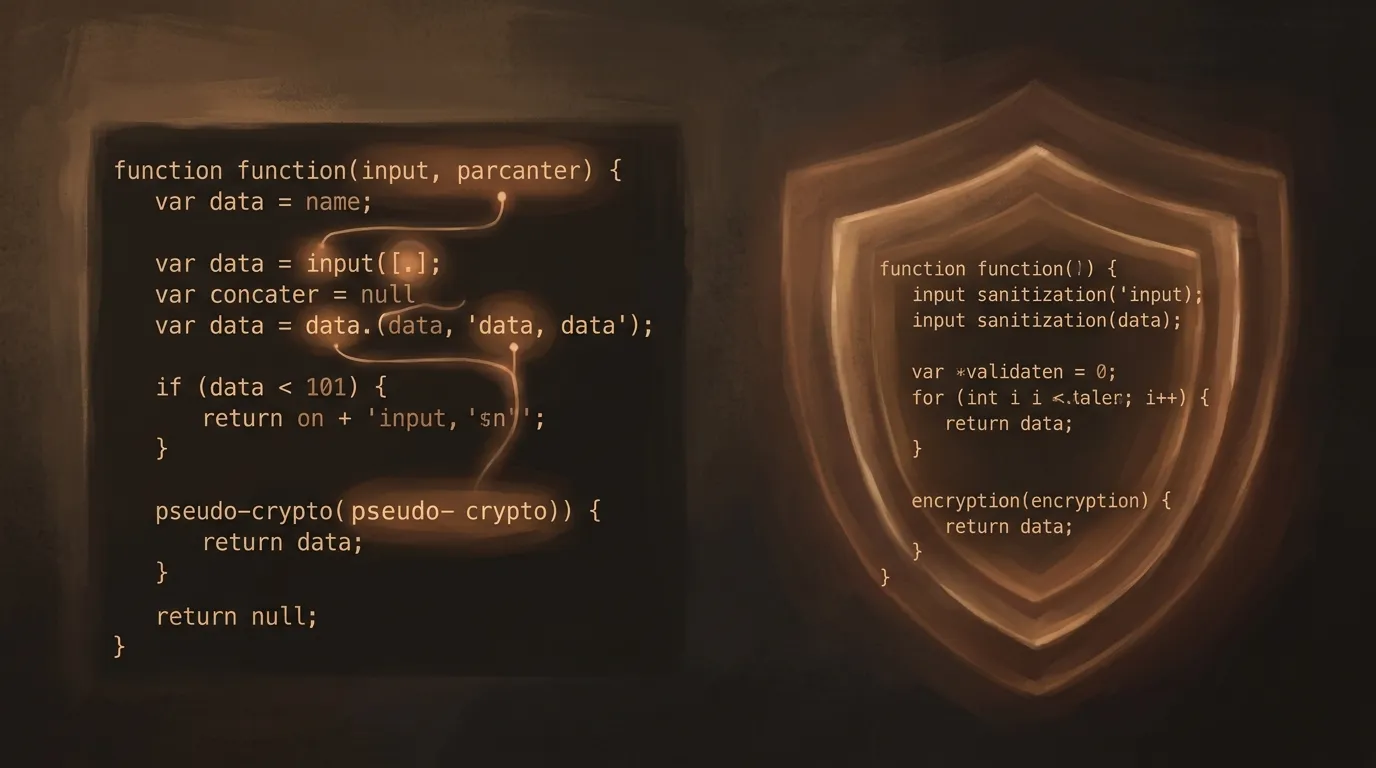
Missing defense in depth. A human developer thinking about security will layer protections: input validation, parameterized queries, access controls, output encoding. AI tends to implement one layer and move on, because it’s pattern-matching, not threat-modeling.
AI does not threat-model — it pattern-matches. A human layers input validation, parameterized queries, and access controls. AI tends to implement one defense and move on.
The stale training data problem compounds everything. AI models might suggest approaches that were acceptable three years ago but have since been found vulnerable. They don’t track CVEs. They don’t read security advisories. They generate code based on a frozen snapshot of what “normal” code looked like at training time.
The license trap nobody talks about
Beyond security, AI-generated code creates intellectual property risks that most developers aren’t thinking about — but their legal teams should be.
Research analyzing outputs from major AI coding models found that between 0.88% and 2.01% of generated code shows “striking similarity” to existing copyrighted code. That percentage sounds small until you multiply it across every AI-assisted commit in your organization. Across the industry, that’s millions of potentially problematic snippets.
The real problem isn’t the copying itself — it’s the invisibility. When you copy-paste from Stack Overflow, you can see the license. When an AI model reconstructs code from its training data, neither you nor the model knows where it came from. Academic evaluations of 14 popular AI coding models found that most fail to provide accurate license information, especially for copyleft-licensed code.
This matters because copyleft licenses like GPL carry obligations. If GPL-licensed code ends up in your proprietary product without compliance, you’ve got a legal problem that can force open-sourcing your entire codebase or paying significant damages. And you can’t comply with a license you don’t know exists.
Software Composition Analysis (SCA) tools can help catch some of these matches, but they have limits. AI often transforms and recombines code enough that traditional fingerprinting fails. The safest approach is to treat AI-generated code with the same scrutiny you’d apply to any third-party dependency: assume it might carry license obligations until you’ve verified otherwise.
Between 0.88% and 2.01% of AI-generated code shows striking similarity to existing copyrighted code. That percentage sounds small until you multiply it across every AI-assisted commit in your organization.
The copyright ownership question is equally unsettled. Most jurisdictions require human authorship for copyright protection. Code that’s substantially AI-generated may not be copyrightable at all, which means you might be building products on top of work you can’t legally protect. This area of law is moving fast, but the current uncertainty is itself a risk worth managing.
Local vs. cloud: the trade-off that actually matters
Every AI coding security discussion eventually lands here: should you run models locally or use cloud services?
Cloud-based tools (Copilot, Codeium, Amazon CodeWhisperer) give you access to the best models, continuous updates, and zero infrastructure overhead. The trade-off is that your code leaves your network. Enterprise licenses mitigate some risks with data handling guarantees, but the fundamental architecture means external processing.
Local tools (Ollama + Code Llama, Tabby, Continue with local models) keep everything on your hardware. No code leaves your machine, no context windows get shipped to external APIs. You get complete data isolation and the ability to fine-tune on your own codebase. The trade-off is real: you need serious GPU resources, the models are generally less capable than frontier cloud offerings, and you’re responsible for updates and maintenance.
For most teams, the answer isn’t either/or — it’s a tiered approach based on sensitivity:
Sensitive code (auth, crypto, proprietary algorithms, client data handling) — use local models or write it yourself. The productivity trade-off is worth the security guarantee.
Standard application code (CRUD operations, UI components, data transformations) — cloud tools with enterprise data protections are a reasonable choice. The code isn’t proprietary enough to justify the capability trade-off of going local.
Exploratory and learning (prototyping, understanding new libraries, generating test scaffolding) — cloud tools shine here. You’re not exposing anything sensitive, and the superior model quality saves real time.
The key insight is that this decision should be made per-task, not per-organization. A blanket “no AI tools” policy just drives usage underground. A blanket “use whatever you want” policy ignores real risks. The mature approach is classification: know what you’re working on, and choose your tools accordingly.

Making AI-generated code safe: a practical workflow
Accepting that AI tools are part of modern development, here’s how to use them without compromising security or IP integrity.
Prompt for security explicitly. Don’t ask for “a login function.” Ask for “a login function using bcrypt with a work factor of 12, rate limiting after 5 failed attempts, and OWASP-compliant session management.” AI systems respond to specificity. Vague prompts get generic (and often insecure) responses. Specific security requirements in the prompt dramatically improve output quality.
Treat AI output as untrusted code. You wouldn’t merge a pull request from an anonymous contributor without review. Apply the same standard to AI suggestions. Read every line. Question anything security-relevant. If you don’t understand what a piece of AI-generated code is doing, that’s not a reason to trust it — it’s a reason to investigate.
Layer your security validation. No single tool catches everything. A solid pipeline for AI-heavy codebases includes SAST (static analysis for known vulnerability patterns), DAST (dynamic testing for runtime security issues), SCA (license and dependency scanning), and human review focused specifically on security logic. The combination matters more than any individual tool.
Tag AI-generated code in your workflow. Whether it’s a commit message convention, a code comment, or metadata in your review tool, track which code came from AI. When a new vulnerability class is discovered in AI-generated patterns (and it will be), you need to be able to find and audit affected code quickly.
Audit more frequently. AI-generated code deserves shorter audit cycles than human-written code. The systematic nature of AI vulnerabilities means that when a pattern is bad, it’s bad everywhere the model suggested it. Regular security sweeps of AI-generated sections catch issues that initial review missed.
What to do now
-
Classify your codebase by sensitivity. Identify which areas handle authentication, cryptography, client data, and proprietary logic. These areas need stricter rules about AI tool usage — local models or manual coding only.
-
Set up your security pipeline for AI code. If you don’t already have SAST, DAST, and SCA in your CI/CD, add them. If you do, verify they’re running against AI-generated code specifically, not just human-written modules.
-
Adopt a prompt discipline. Start including explicit security requirements in every prompt that touches security-relevant code. Make it a habit, not an afterthought.
-
Track AI-generated code. Establish a convention — commit tags, PR labels, code comments — that lets you identify AI-assisted code after the fact. Your future self will thank you during the next audit.
-
Review your AI tool agreements. Check whether your enterprise license actually prevents training on your code, what data retention policies apply, and whether your compliance obligations are met. Read the terms, not the marketing.
-
Run a license scan on recent AI-assisted work. Use an SCA tool to check your last quarter of AI-assisted commits for code that matches known open-source implementations. Fix any copyleft matches before they become legal problems.
-
Brief your team. Share the core message: AI coding tools are powerful but not trustworthy. Every suggestion is a proposal from an anonymous contributor who doesn’t understand your security context. Review accordingly.
AI coding assistants aren’t going away, and they shouldn’t. (For the broader picture of how AI integrations create attack surface, see MCP, Plugins, and the New AI Attack Surface.) The productivity gains are genuine and substantial. But the developers and teams who thrive with these tools will be the ones who treat them as what they are: extremely fast, occasionally brilliant, completely security-unaware junior developers who need supervision on every commit. Build your workflows around that reality, and you get the speed without the risk.